How Attackers Weaponized Zendesk: The 2026 'Activate Account' Spam Wave and What Comes Next

A sudden surge of “Activate Account” emails left inboxes across the globe reeling in early 2026, as attackers weaponized Zendesk’s customer support infrastructure to orchestrate a massive spam campaign. By exploiting open ticket submission forms—intended to make customer support seamless—threat actors managed to trigger a flood of legitimate-looking emails, overwhelming both individuals and organizations. The scale of this attack, with some users reporting hundreds of emails in mere hours, highlights how automation and a few overlooked settings can turn trusted platforms into powerful spam cannons (BleepingComputer).
This incident isn’t just a technical hiccup; it’s a wake-up call for any business relying on automated customer service tools. The attackers’ tactics—ranging from automated form submissions to distributed botnet activity—demonstrate how easily convenience features can be subverted. Even advanced email defenses struggled, as the spam originated from legitimate Zendesk domains, complete with proper authentication records. The result? A perfect storm that buried important messages, raised phishing concerns, and strained support teams to the breaking point (BleepingComputer).
How Attackers Turned Zendesk Into a Spam Cannon (And What Can Be Done About It)
Exploitation of Unverified Ticket Submission Mechanisms
Attackers have leveraged the inherent openness of Zendesk’s ticket submission forms, which by default allow unverified users to create new support requests. This feature, designed to streamline customer support, has inadvertently provided a vector for abuse. By automating submissions with large lists of email addresses, threat actors can trigger Zendesk’s automatic confirmation emails to be sent to unsuspecting recipients (BleepingComputer).
This abuse is possible because many organizations have not restricted ticket creation to verified users only. The attackers exploit this by scripting mass submissions, each with a unique or random email address, causing Zendesk to generate and send out hundreds or thousands of “Activate account” or similar notifications. The volume of these emails can overwhelm both the recipients and the organizations’ support infrastructure.
Automation and Scale: Tools and Tactics Used by Attackers
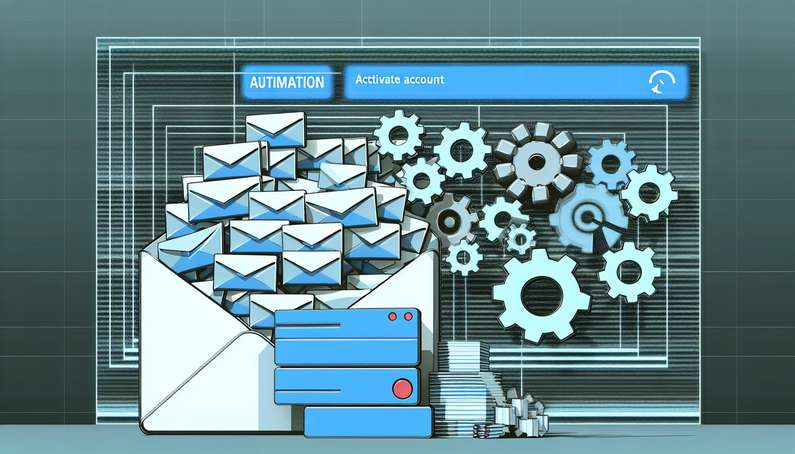
The scale of the current spam wave, with some users reporting hundreds of emails in a short period, suggests the use of automated tools or scripts to submit tickets en masse (BleepingComputer). Attackers typically employ the following tactics:
- Automated Form Submission: Scripts or bots are programmed to interact with exposed Zendesk support portals, filling out and submitting forms with target email addresses.
- Randomization of Inputs: To bypass potential duplicate detection, attackers randomize ticket subjects, bodies, and sometimes even the originating IP addresses.
- Distributed Attacks: By utilizing botnets or cloud-based automation, attackers can distribute the load, making it harder for Zendesk or the affected organizations to block the abuse based on IP or submission patterns.
These tactics allow attackers to generate a flood of legitimate-looking automated emails, which are difficult for spam filters to block because they originate from trusted Zendesk infrastructure.
Impact on Victims and Organizations
The consequences of this abuse are twofold: direct impact on recipients and operational strain on organizations using Zendesk.
Recipient Disruption
End users targeted in these campaigns experience a deluge of unsolicited “Activate account” or support-related emails. Reports indicate that some individuals have received hundreds of such messages within hours (BleepingComputer). This can lead to:
- Inbox Overload: Legitimate communications may be buried, increasing the risk of missing important messages.
- Phishing Concerns: The volume and legitimacy of the emails may desensitize users to genuine account notifications, increasing susceptibility to actual phishing attempts.
- Potential Account Lockout: In some cases, automated systems may interpret the flood of emails as suspicious activity, leading to temporary account restrictions.
Organizational Strain
For organizations, the attack results in:
- Support System Saturation: Automated ticket creation can overwhelm support queues, making it difficult for legitimate customer requests to be processed in a timely manner.
- Brand Reputation Risks: Recipients may associate the spam with the organization, damaging trust even though the company is an unwilling participant.
- Resource Drain: IT and security teams must divert resources to investigate, mitigate, and respond to the incident, including communicating with affected users and implementing additional safeguards.
Bypassing Traditional Email Defenses
A critical factor in the success of these spam campaigns is their ability to bypass conventional spam filters. Because the emails are generated by legitimate Zendesk instances—often with proper SPF, DKIM, and DMARC records—they are perceived as authentic by most email security solutions (BleepingComputer).
- Trusted Sending Domains: Emails come from domains and IP addresses associated with real companies’ Zendesk portals, which are typically whitelisted or trusted by recipient mail servers.
- Legitimate Content Structure: The messages mimic standard support or account activation emails, lacking obvious spam indicators such as malicious links or attachments.
- Lack of User Interaction: Since the emails are triggered by automated ticket creation rather than direct user action, traditional anti-phishing or behavioral analysis tools may not flag them.
This combination allows the spam to land directly in inboxes, increasing its disruptive potential and complicating remediation efforts.
Mitigation Strategies and Industry Recommendations
In response to these attacks, Zendesk and security experts have outlined several measures that organizations can implement to reduce their exposure (BleepingComputer):
Restricting Ticket Creation
- Verified User Requirement: Limiting ticket creation to authenticated or pre-approved users significantly reduces the risk of abuse. This can be achieved by requiring users to log in or validate their email address before submitting a ticket.
- CAPTCHA Implementation: Adding CAPTCHA or similar human verification mechanisms to ticket submission forms can deter automated attacks.
Portal Configuration Hardening
- Placeholder Removal: Organizations are advised to remove or restrict the use of placeholders in ticket templates that allow arbitrary email addresses or subjects.
- Custom Validation Rules: Implementing custom logic to detect and block suspicious or repetitive submissions can help identify abuse patterns early.
Enhanced Monitoring and Rate Limiting
- Activity Monitoring: Zendesk has introduced enhanced monitoring to detect unusual spikes in ticket creation or email dispatch (BleepingComputer). Organizations should supplement this with their own analytics to flag anomalies.
- Rate Limiting: Setting thresholds for the number of tickets or confirmation emails that can be generated from a single IP address or user within a given timeframe can help contain the impact of automated attacks.
Communication and User Education
- Incident Notification: Promptly informing affected users about the nature of the spam and advising them to ignore the emails can help mitigate confusion and reduce the risk of secondary phishing.
- Internal Response Plans: Organizations should establish clear protocols for responding to similar incidents, including escalation paths and communication templates.
Ongoing Platform Improvements
Zendesk has acknowledged the persistence of this abuse and committed to ongoing improvements, including:
- Continuous Safety Feature Updates: Zendesk has rolled out new safety features and is actively working on further enhancements to detect and prevent relay spam (BleepingComputer).
- Customer Guidance: The company regularly updates its best practice recommendations and security advisories to help customers secure their support portals.
Lessons Learned and Future Considerations
The recurring abuse of Zendesk’s support infrastructure highlights broader security challenges associated with customer-facing automation:
- Balance Between Accessibility and Security: While open ticket submission supports customer convenience, it introduces risk. Organizations must weigh the benefits of frictionless support against potential abuse vectors.
- Shared Responsibility: Both platform providers and customers must actively participate in securing their environments. Default configurations may not be sufficient in the face of evolving threats.
- Adaptive Threat Landscape: Attackers continually adapt their tactics in response to new safeguards. Ongoing vigilance, regular security reviews, and rapid response capabilities are essential to mitigate emerging risks.
By understanding the mechanics of these attacks and implementing layered defenses, organizations can reduce their exposure to similar spam waves in the future, protecting both their users and their reputations.
Final Thoughts
The 2026 Zendesk spam wave is a stark reminder that even the most trusted platforms can become vectors for large-scale abuse if security and usability aren’t carefully balanced. As attackers continue to adapt, organizations must move beyond default configurations—implementing user verification, CAPTCHAs, and robust monitoring to stay ahead of evolving threats. Zendesk’s ongoing safety updates and industry recommendations are steps in the right direction, but the responsibility is shared: both platform providers and their customers must remain vigilant and proactive (BleepingComputer).
Ultimately, the lesson is clear: convenience should never come at the expense of security. By learning from incidents like this and embracing layered defenses, organizations can protect their users, their reputations, and the integrity of their digital operations.
References
- BleepingComputer. (2026). Zendesk spam wave returns, floods users with ‘activate account’ emails. https://www.bleepingcomputer.com/news/security/zendesk-spam-wave-returns-floods-users-with-activate-account-emails/